Offline GST billing software: how it actually works
"Offline billing" gets used loosely. Here is precisely what it means in BillBook, what still needs a connection, and what you take responsibility for when your books live on your own machine instead of a vendor's cloud.
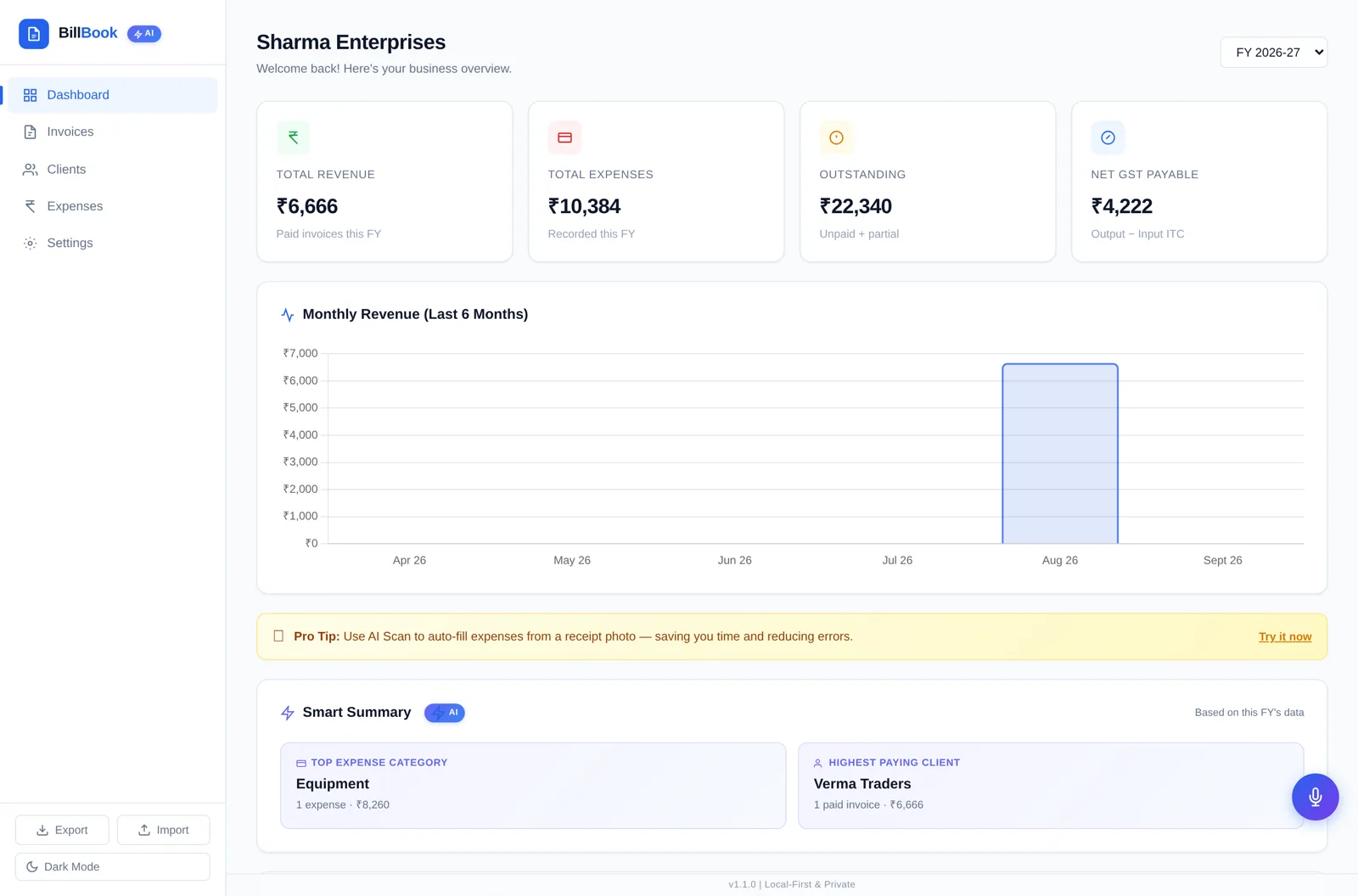
What runs with no internet at all
BillBook is a single HTML file you open in your browser. Once the folder is on your machine, these work with the network switched off:
- • Creating, editing and duplicating GST invoices, including the tax calculations.
- • Downloading the invoice PDF to send or print later.
- • Adding and editing clients in the client master.
- • Recording expenses and seeing claimable input GST.
- • The dashboard totals and the monthly revenue chart.
- • Exporting and importing your JSON backup.
What can still need a connection
Two optional extras depend on things outside the file, and we would rather say so than claim "100% offline":
- • Voice Mode uses your browser's speech recognition. Many browsers send the audio to their own service, so it may not work offline, and availability varies by browser and device.
- • Receipt scanning uses Tesseract OCR bundled in your download, so it runs locally — but the first run may need to load its language data if the browser hasn't cached it yet.
Neither is required to bill. If you never touch them, BillBook stays a fully offline invoicing tool.
Where your data sits
Your settings, clients, invoices and expenses are written to your browser's local storage on that device. There is no BillBook server holding a copy, and no account to log into — which also means nobody at BillBook can recover your data for you.
The practical rules that follow from this are short: use one main browser on one main computer, don't clear "cookies and site data" for that page casually, don't rely on private/incognito windows, keep the unzipped folder where it is, and press Export regularly. Store that JSON file wherever you already keep important business documents.
Offline vs cloud: the honest trade
| Consideration | Local-first (BillBook) | Cloud-first |
|---|---|---|
| Billing during an outage | Unaffected | Usually blocked |
| Who holds your data | You, on your device | The vendor's servers |
| Backups | Your JSON export | Managed for you |
| Multi-device access | Manual export/import | Usually built in, varies by plan |
| Recurring cost | None after ₹299 | Subscription may apply |
If you need several staff billing simultaneously from different locations with automatic sync, a cloud tool is the better fit and we'd rather you buy that. If you are one person or one counter who wants to stop paying rent on your own invoices, local-first wins.
Getting started on any OS
There is no installer, so there's nothing OS-specific: unzip the folder on Windows, macOS or Linux, open index.html in Chrome, Edge, Firefox or Safari, fill in your business details in Settings, and create your first invoice. Bookmark the page so you can reopen it in one click.
GST rates and rules change. Verify current rules with official government sources or your CA before filing.
Bill offline for ₹299, once
BillBook v1.1.0 — GST invoices, clients, expenses and a dashboard, in a file you own.